Rclone是什么
Rclone 是一款的命令行工具,支持在不同对象存储、网盘间同步、上传、下载数据。 它能够将你的网盘挂载到服务器上,像使用本地硬盘一样使用网盘。 Rclone 支持很多品牌的网盘,具体列表如下
- 1Fichier
- Alibaba Cloud (Aliyun) Object Storage System (OSS)
- Amazon Drive (See note)
- Amazon S3
- Backblaze B2
- Box
- Ceph
- Citrix ShareFile
- C14
- DigitalOcean Spaces
- Dreamhost
- Dropbox
- Enterprise File Fabric
- FTP
- Google Cloud Storage
- Google Drive
- Google Photos
- HDFS
- HTTP
- Hubic
- Jottacloud
- IBM COS S3
- Koofr
- Mail.ru Cloud
- Memset Memstre
- Mega
- Memory
- Microsoft Azure Blob Storage
- Microsoft OneDrive
- Minio
- Nextcloud
- OVH
- OpnDrive
- OpenStack Swift
- Oracle Cloud Storage
- ownCloud
- pCloud
- premiumize.me
- put.io
- QingSor
- Rackspace Cloud Files
- rsync.net
- Scaleway
- Seafile
- SeaweedFS
- SFTP
- StackPath
- SugarSync
- Tardigrade
- Tencent Cloud Object Storage (COS)
- Uptobox
- Wasabi
- WebDAV
- Yandex Disk
- Zoho WorkDrive
- The local filesystem
安装和事先准备
在本地提前获取tocken
在本地Windows电脑上下载rclone(点这里下载)
然后解压出来,进到解压出来的文件夹位置。
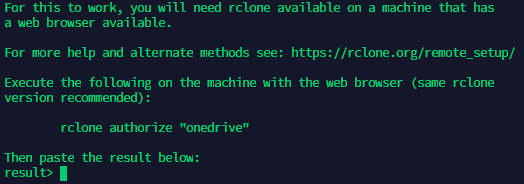
在文件浏览器的地址栏输入cmd,打开cmd窗口:
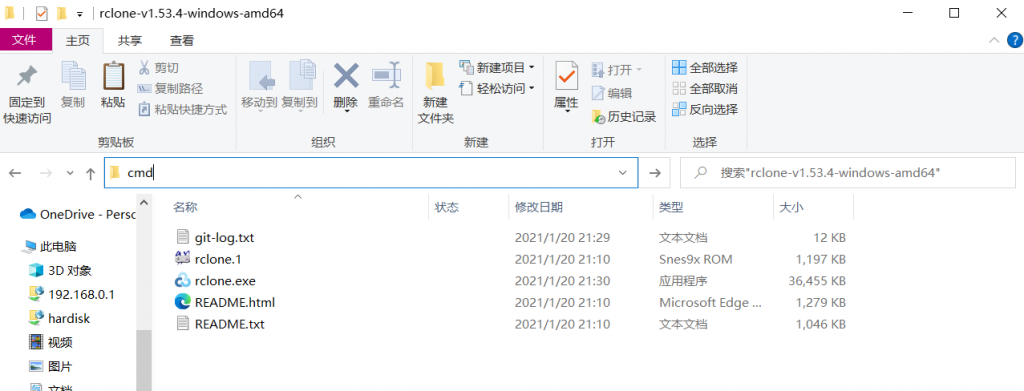
之后在cmd窗口中执行
rclone authorize "onedrive"
之后按照提示操作获得tocken(复制下来,等会要用)
在服务器上安装Rclone
ssh到你的服务器,执行以下命令来安装最新版的Rclone:
curl https://rclone.org/install.sh | sudo bash
待出现
Now run "rclone config" for setup. Check https://rclone.org/docs/ for more details.
即为安装成功,即可进入下一步进行配置
配置
执行
rclone config
弹出如下信息
2021/01/23 12:18:32 NOTICE: Config file "/root/.config/rclone/rclone.conf" not found - using defaults
No remotes found - make a new one
n) New remote
s) Set configuration password
q) Quit config
n/s/q>
输入n 选择新建
之后你提示你输入name,也就是你自定义一个网盘的名字,回车进行下一步
这里弹出很多网盘可供选择,我使用的是onedrive 所以选择 23 回车下一步
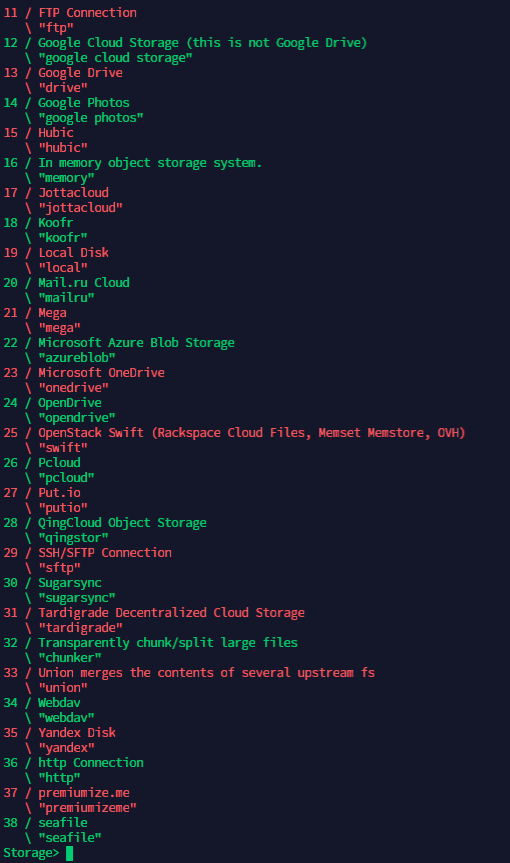
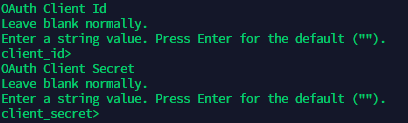
之后提示输入client_id和client_secret 这两项都不填写,直接回车就行
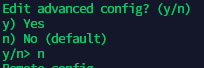
之后提示是否编辑高级配置,这里我们不需要,也直接选 n就行
又之后提示是否自动设置,这里我们服务器一般都是命令行环境,没有浏览器,选择 n
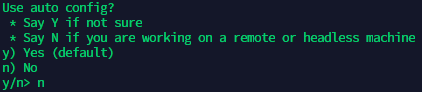
接下来要输入刚才复制的tocken,之后就能按照默认完成设置。
挂载
在完成上面这些操作后,我们的配置工作已经做完,接下来只需要把云盘挂载在你想要的位置就行。
我想把我的云盘挂载在 /root/onedrive
所以我需要提前创建挂载的文件夹
之后安装 FUSE
yum install fuse
必须有fuse才能挂载,不然会报错
使用命令
rclone mount DriveName:Folder LocalFolder --copy-links --no-gzip-encoding --no-check-certificate --allow-other --allow-non-empty --umask 000
其中 DriveName 为第一开始填的自定义的网盘名name,Folder为OneDrive里的文件夹,LocalFolder为VPS上的本地文件夹,我这里是 /root/onedrive
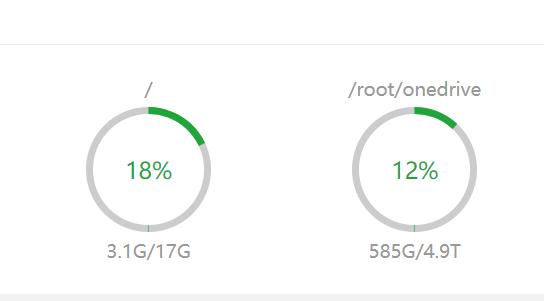
至此,已经能在服务器上看到挂载的磁盘了
备份目录修改
最后,将宝塔面板-面板设置-默认备份目录修改为你挂载的目录就大功告成了。